

5 best hardware asset management software solutions
Sponsored content. This article was supplied by a third party and Business Money has been paid to publish it.
Keeping tabs on every laptop, monitor, and peripheral across a distributed workforce is genuinely hard, and spreadsheets don’t scale past a few dozen employees before they start lying to you. The best hardware asset management software handles procurement, deployment, tracking, and disposal from one system, so IT teams aren’t chasing down devices manually or losing them entirely when employees leave.
Why hardware asset management matters
Hardware you’re not tracking is hardware you’re going to lose. Gartner research consistently shows that untracked IT assets drive up procurement costs because teams end up buying replacements for devices that are sitting forgotten in a drawer somewhere. Regulatory audits demand accurate chain-of-custody records on top of that waste, and a manually maintained spreadsheet simply won’t survive scrutiny.
For US companies running remote or global teams, the problem multiplies quickly. A device shipped to a contractor in Austin looks no different from one handed to a full-timer in Chicago; when that person leaves, whether you recover depends entirely on whether a retrieval workflow exists or whether you’re just hoping for the best. Software that ties hardware records directly to HR events closes that gap on its own.
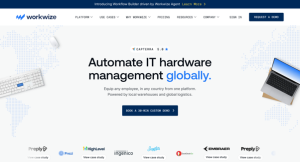 1. Workwize
- Best for: Mid-market and enterprise teams managing hardware across multiple countries
- Standout: End-to-end lifecycle automation – procure, deploy, manage, retrieve, and dispose – backed by local warehouses in 120 countries
- Pricing: Quote-based across three tiers (Basic, Professional, Enterprise); scoped after a demo
- Notable:
– Manages 120,000+ devices
– Up to 98% device retrieval rate when employees leave
– ISO 27001 certified, SOC 2 Type II compliant
Workwize connects directly to an organization’s HRIS so a confirmed hire or departure automatically triggers a deployment or retrieval workflow, with no manual handoff. Devices ship pre-configured and MDM-enrolled from local vendors, typically within 2 to 7 days depending on the region, so new employees are ready on day one. Every assignment, transfer, wipe, and disposal gets logged automatically, giving IT, Finance, and Compliance a single audit-ready source of truth. With 80+ integrations covering tools like BambooHR, Jamf, Microsoft Intune, Okta, and Slack, it slots into existing stacks without major reconfiguration. Certified ITAD recovers roughly 45% of device value at end of life, and customers have reported hardware spend reductions up to 30%.
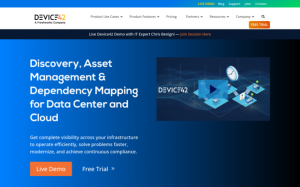 2. Device42
- Best for: IT and infrastructure teams managing complex hybrid environments with legacy and cloud assets
- Standout: Agentless discovery across legacy technologies to cloud containers, with a near real-time automated CMDB and built-in AI for natural language queries
- Pricing: Not publicly disclosed; contact for a quote
- Notable:
– Acquired by Freshworks in May 2024 for $230M
– Customers in 70+ countries
– Average 4.8x return on investment and 10x faster outage resolution reported
Device42 was founded in 2010 by Raj Jalan and Steve Shwartz and is headquartered in West Haven, Connecticut. Its core strength is infrastructure discovery, mapping what you have, where it lives, and how it depends on everything else, without needing agents on every machine. IT Asset Management, Data Center Infrastructure Management, software license management, IPAM, SSL certificate management, and application dependency mapping all sit under one roof. With 30+ integrations including ServiceNow, Jira, and Ansible, it fits naturally into enterprise ITSM workflows. Operating as a separate business unit within Freshworks gives it added engineering resources while keeping its specialized focus intact. It tends to deliver the most value for organizations with complex hybrid infrastructure that mixes on-premises hardware, virtual machines, and cloud workloads.
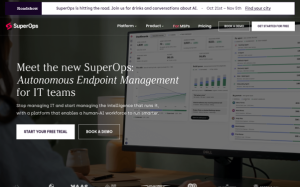 3. SuperOps
- Best for: In-house IT teams and managed service providers wanting a single AI-native platform
- Standout: Unified platform covering UEM, MDM, helpdesk, ITAM, monitoring, and patch management with Monica, a purpose-built agentic AI
- Pricing: $79 to $159 per user or per endpoint, depending on the plan; free trial available
- Notable:
– Founded in 2020
– Serves customers in 104+ countries
– Raised $54.4M total, including a $25M Series C in January 2025
SuperOps was built from scratch by Arvind Parthiban and Jayakumar Karumbasalam – both Zoho and Freshworks veterans – around a shared data architecture designed to eliminate the silos that come from bolting separate tools together. Its ITSuite targets in-house IT departments; its MSPSuite targets managed service providers. The AI layer isn’t tacked on either: Monica, the platform’s agentic AI, is built to carry repetitive tasks from automated all the way to fully autonomous. For teams currently juggling separate tools for RMM, PSA, asset tracking, and helpdesk, consolidating into SuperOps can cut per-seat licensing costs meaningfully. Transparent per-user pricing keeps budgeting straightforward at smaller team sizes, though organizations with large device fleets should model costs carefully against endpoint-based tiers.
 4. Snipe-IT
- Best for: Budget-conscious IT teams, nonprofits, and smaller organizations comfortable managing their own infrastructure
- Standout: Free open-source software with no vendor lock-in, a strong REST API for custom integrations, and barcode scanning built in
- Pricing: Self-hosted version is completely free; cloud-hosted plans available through premium support tiers
- Notable:
– 13 years of operational history
– Manages 21.7M+ assets across 10.4M users for roughly 5,960 customers
– 330+ open-source contributors
Snipe-IT, built by Grokability, Inc. in San Diego, is the go-to choice when licensing budget is zero but the need for organized asset tracking is real. Self-hosting puts the data entirely in the organization’s hands. The cloud-hosted option, powered by AWS with servers across 12+ global regions including Oregon, Virginia, Ireland, Singapore, and Sydney, offers a 99.99% availability guarantee for teams that don’t want to manage infrastructure. Security is taken seriously, with bcrypt with brute-force prevention, 2FA, HTTPS-only cookies, and regular updates. But the open-source model means support and customization depend heavily on internal technical capacity. Teams with a capable sysadmin will find it powerful; teams without one may hit friction quickly.
 5. Teqtivity
- Best for: Growing IT teams in financial services, healthcare, education, or manufacturing that want a customizable, lifecycle-focused platform
- Standout: User-based pricing model that allows unlimited device tracking while keeping costs predictable as headcount grows
- Pricing:
– Tiered by number of users managing assets
– Per-user rate decreases at higher tiers
– Enterprise pricing available on request
- Notable:
– Founded in 2017 and based in Cerritos, California
– 11 to 50 employees
– Covers procurement through disposal with smart locker solutions
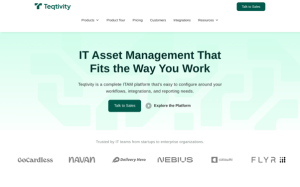
Teqtivity covers the full hardware lifecycle – procurement, deployment, storage, maintenance, and disposal – with a strong emphasis on customization. The company works directly with customers to adapt workflows and integrations to their specific operations, which suits teams whose processes don’t fit neatly into what off-the-shelf tools offer. Its support team functions as an extension of the customer’s IT department rather than a ticketing queue, a distinction smaller teams frequently cite as genuinely meaningful. The user-based pricing model makes practical sense for organizations managing large device fleets on lean IT staff; you pay for the people doing the managing, not for every individual asset in the system.
What to look for in hardware asset management software
The right platform depends on what part of the lifecycle is actually broken. A few things narrow the field quickly.
- Automation depth. Manual data entry defeats the purpose. Look for platforms where asset records update automatically, triggered by HR events, MDM enrollment, or procurement workflows, rather than relying on someone remembering to log a change.
- Fit with other tools. Your HRIS, MDM, and identity tools need to talk to the asset platform. Check which specific tools the vendor supports natively before assuming “integrations available” covers your stack.
- Geographic reach. US-only logistics works for US-only teams. If any employees work abroad, the platform needs local warehousing or at least customs-aware shipping; cross-border courier logistics add days and unpredictable costs without it.
- Lifecycle scope. Some tools track assets well but hand off at retirement. Others handle certified disposal and resale. If end-of-life value recovery or audit documentation matters, confirm the vendor covers it, not just tracks to it.
- Security and compliance posture. For regulated industries, certifications like ISO 27001 and SOC 2 Type II aren’t optional. Self-hosted open-source tools put that compliance burden on the buyer’s own infrastructure team.
Bottom line
The right hardware asset management software for any given team comes down to scale, geography, and how much of the lifecycle needs automating. Open-source tools like Snipe-IT serve technically capable teams working with tight budgets. Platforms like SuperOps appeal to MSPs and in-house teams looking to consolidate their tooling. Device42 fits organizations whose complex hybrid infrastructure demands deep discovery. Teqtivity suits smaller IT teams that want a customizable, people-first approach. But teams managing hardware across international borders – where procurement, retrieval, and disposal all depend on local logistics – should weight geographic coverage and lifecycle automation most heavily when making the call.