

How 4K dash cams are reshaping insurance claims
Sponsored content. This article was supplied by a third party and Business Money has been paid to publish it.
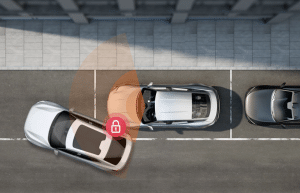 When a crash or parking‑lot scrape happens, you’re suddenly asked to remember tiny details—plates, lane position, whether the other driver braked, the exact time and place—while your nerves are running hot. That’s a problem because low‑light scenes often look muddy on ordinary cameras, footage without timestamps or GPS lacks context, and unprotected files can be overwritten before an adjuster ever sees them. Advanced dash cams fix those pain points by recording clearer video, attaching reliable metadata, and protecting the right clips so you can submit evidence that stands up to scrutiny.
Choosing a reliable dash cam brand
A good evidence camera isn’t just a sensor and a lens; it’s the full ecosystem—firmware support, parking‑mode design, logging, and the way files are exported and shared. If you want one place to start, the Vantrue E1 Pro combines true 4K/30 fps capture with a STARVIS 2 sensor, a bundled CPL filter to manage glare, GPS logging for route/speed, and a 15‑second pre‑buffer that catches what happened just before an incident. Optional accessories enable 24/7 monitoring and remote alerts. This mix aims squarely at what claims teams need: clean imagery plus trustworthy context.
Evidence quality at the point of capture
High‑resolution imaging
At 3840×2160 and a wide field of view, you get plate characters, signal states, and small scene details that cheaper cameras miss. Higher pixel density also helps when you scrub frame‑by‑frame to see turn signals, brake lights, or lane markings.
Low‑light performance
You drive at night far more than you realize. A back‑illuminated sensor with HDR keeps highlights from blown‑out headlights under control while lifting shadow detail, so nighttime footage remains usable instead of grainy and gray.
Glare management
Windshield and dashboard reflections can wash out video. A circular polarizing (CPL) filter tames those reflections so signage and plates stay legible in harsh sun, wet roads, or glassy storefronts.
Metadata that supports fault and timeline determinations
Location, speed, and route logging
Speed and GPS coordinates stitched to each clip help confirm who was where and how fast, turning a “he‑said, she‑said” into a timeline you can check against road geometry and traffic signals.
Timestamps and time‑zone handling
Set the correct time before you need it. Accurate timestamps—and awareness of daylight saving or time‑zone changes—avoid disputes later. After an incident, export first, then change settings if needed.
On‑screen data overlays
Watermarks that show date, time, and speed let an adjuster or investigator validate context at a glance. If privacy rules apply, export both a clean copy and one with overlays for internal review.
Capturing incidents when parked
Buffered motion detection
Buffering records a slice of video from just before a trigger, so you don’t miss the approach in a hit‑and‑run, a door‑ding, or a package‑theft near the bumper. Typical buffers capture 15 seconds before and 30 seconds after motion.
Impact‑triggered capture
A built‑in G‑sensor wakes the camera or locks a clip when it detects a jolt. Set sensitivity to match your vehicle and parking environment so speed bumps don’t flood your card with locked files.
Long‑duration surveillance modes
Low‑bitrate or low‑frame‑rate parking modes stretch storage so evidence remains on the card long enough for you to find it. That makes the difference when you return from a trip and discover damage days later.
Power and wiring prerequisites
Continuous parking capture needs constant power. Use a hardwire kit with a voltage cutoff to protect your battery and keep parking features available when the ignition is off.
Preserving and securing footage for claims
Event retention controls
Loop recording overwrites old files—unless you lock a clip. Train yourself (and fleet drivers) to hit the remote or voice‑lock after any incident or near‑miss so crucial evidence isn’t recycled.
Storage capacity and file‑system behavior
Support for high‑capacity microSD (up to 1 TB on eligible models) gives you longer retention even at 4K. Format cards in‑device, and avoid pulling power while a file is being written to reduce corruption.
Power resilience
Supercapacitor designs tolerate heat better than small lithium cells and shut down more gracefully during voltage drops, which helps preserve the last file in hard stops or collisions.
Driver‑initiated evidence capture
Voice commands and a small wireless remote let you flag a moment immediately. That human‑in‑the‑loop step is invaluable when the G‑sensor doesn’t quite meet the threshold, but you still want a record.
Retrieval, sharing, and workflow integration
Rapid access to files
5 GHz Wi‑Fi shortens the hop to your phone, which means you can submit First Notice of Loss while details are fresh. Faster export also helps you share clips with law enforcement without digging for a card reader.
Remote status and alerts
With an add‑on cellular module, you can get parking alerts, check your location, and even find your car after events. Remote checks also reassure you when you leave the vehicle curbside for a few days.
Firmware maintenance
Over‑the‑air updates improve imaging and detection, and they reduce the odds that an old firmware quirk interrupts a recording exactly when you need it. On the Vantrue E1 Pro, you can apply firmware via the mobile app without removing the camera, which keeps your setup consistent across vehicles.
Playback tools
Desktop and mobile players that display maps, speed, and overlays beside the video speed up review. When a claim is serious, export both the raw files and a player‑friendly version so nothing gets lost in conversion.
Operational considerations for insurers and fleets
Data standardization and ingestion
If you manage vehicles, define accepted file formats, overlay settings, and minimum metadata at policy inception. Standard inputs make triage and analytics far easier later.
Configuration policies
Write a one‑page setup you can repeat: time sync, watermark on/off, G‑sensor thresholds, parking‑mode profile, and retention targets. Consistency across drivers turns your footage into a reliable dataset.
Vehicle system interactions
Tap power safely and document installation. Hiding cable runs and securing mounts protect the camera, reduce tampering, and keep the lens where it needs to be.
Installation standards
Photograph the mount position, verify the lens is centered and level, and record the final settings. That audit trail helps when a clip’s perspective or data overlay is questioned.
Quick feature‑to‑outcome table
| Capture feature | What it does | Why it matters for claims |
| 4K with HDR | Captures small details and stabilizes exposure | Readable plates and signal states reduce ambiguity |
| STARVIS‑class sensor | Improves low‑light clarity | Night incidents remain usable instead of being smudged |
| CPL filter | Reduces windshield glare | License plates and signage stay legible in harsh light |
| Pre‑buffered parking | Records before and after the motion | Shows both approach and getaway in a hit‑and‑run |
| G‑sensor event lock | Auto‑protects incident clips | Prevents overwriting during loop recording |
| GPS speed/route | Adds objective context | Helps reconstruct position, speed, and timing |
| 5 GHz Wi‑Fi | Speeds transfer to phone | Faster First Notice of Loss and easier sharing |
| Optional LTE | Enables alerts and remote checks | Peace of mind when away from the vehicle |
Scenario‑focused applications
Hit‑and‑run or parking‑lot incidents
Buffers and parking modes capture the lead‑up and aftermath, including direction of travel. That context can be the difference between an uncovered loss and a quick decision.
Intersection and rear‑end collisions
Clear 4K frames help you review who entered the box first, whether brake lights were on, and lane discipline at the moment of impact. GPS and time overlays round out the picture.
Suspected fraud or disputed liability
When stories conflict, synchronized video and metadata dampen the noise. Consistent configuration across your vehicles makes that review process even faster.
Validation checklist before submitting footage
- Confirm the timestamp and time zone are accurate.
- Verify that GPS/speed overlays or logs are present.
- Lock the key event and ensure the card has capacity.
- Export the original files and, if available, a player‑friendly copy.
Conclusion
Dash‑cam evidence works best when you treat it as a system: capture the clearest possible picture, attach reliable context, protect what matters, and make retrieval painless. Do those four things and you’ll give claims teams what they need to make fair, faster decisions—even when lighting is poor, memories are fuzzy, and the other driver has left the scene. For a compact model that covers those bases, you’ll find that the Vantrue E1 Pro’s feature mix lines up closely with how claims actually get resolved.