

Kie.ai’s Sora 2 API review: Lifelike, affordable, and seamless AI video generation
Sponsored content. This article was supplied by a third party and Business Money has been paid to publish it.
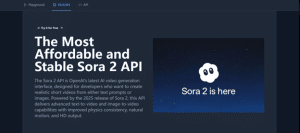 In the rapidly evolving world of content creation, businesses and developers are increasingly turning to AI solutions to streamline the video production process. As the demand for high-quality video content grows, so does the need for affordable and efficient API to create videos quickly. In this context, Kie.ai’s Sora 2 API emerges as one of the available options for AI video generation.
While there are many AI video generation API available, Sora 2 API being promoted presents a solution that aims to be affordable , making it a potential option for those seeking to produce high-quality videos with ease. In this review, we will objectively assess Sora 2 API’s features, performance, and pricing structure. We help determine whether Sora 2 API is a viable option for developers looking to integrate AI video generation into their projects.
What is Sora 2 API?
Kie.ai’s Sora 2 API is an advanced AI-powered video generation interface that enables developers to integrate video creation directly into their applications. It allows the generation of high-quality videos from simple text prompts or images, making it an ideal solution for developers looking to automate the video creation process. With just a few HTTP requests, users can leverage the full capabilities of the Sora 2 API to create dynamic videos with minimal effort.
For developers, this means no need for complex video editing software or manual video production. By sending structured requests through the Sora 2 API key, it can seamlessly integrate AI video generation into web apps, mobile apps, or backend systems. The Sora 2 API supports text-to-video generation, allowing to transform written descriptions into realistic video content, as well as image-to-video functionality, enabling animate static visuals.
Key features of Kie.ai’s Sora 2 API
Text-to-video and image-to-video
One of the core strengths of the Sora 2 API is its ability to generate dynamic videos from text prompts or images. By simply providing a descriptive text, developers can create videos that visually represent the content described. Similarly, the image-to-video feature allows developers to animate static images, transforming them into motion graphics or dynamic scenes.
Realistic audio-visual synchronization for immersive video experiences
The Sora 2 API also supports realistic audio-visual synchronization. This feature ensures that background soundscapes, voiceovers, and sound effects perfectly align with the generated video content. By providing a seamless audio and visual experience, Sora 2 API enhances the overall quality of the video, making it more engaging and realistic.
Adherence to physical laws for realistic interactions
Unlike some AI video generation that may distort objects or stretch reality to meet the text prompt’s needs, Sora 2 API adheres to physical laws. This means that objects within the generated videos move and interact in a manner that respects the natural principles of physics, resulting in realistic and believable scenes.
Enhanced control across multiple shots for seamless video transitions
Another powerful feature of the Sora 2 API is its ability to execute complex instructions across multiple shots while maintaining a consistent world state. This capability is essential when creating longer video sequences or ensuring that the video’s continuity is preserved throughout different scenes. Whether it’s transitioning between camera angles or maintaining consistent environmental details, Sora 2 API offers the precise control necessary for smooth, professional-quality video creation.
Advantages of Sora 2 API integration via Kie.ai
Affordable Sora 2 pricing for developers
One of the main advantages of using Sora 2 API from Kie.ai is its competitive pricing model. At just $0.15 per 10 seconds of video, including audio and without a watermark, it offers developers an affordable solution for video generation. The Sora 2 Pro Standard is priced at $0.45 per 10 seconds, while Sora 2 Pro HD is available at $1 per 10 seconds, providing 1080p resolution. This pricing structure is more than 60% lower than many competitors, such as OpenAI, making it a cost-effective choice for developers. Additionally, all videos generated with Sora 2 API are watermark-free, which increases flexibility for professional use.
Comprehensive Sora 2 API documentation and technical support
For developers, Kie.ai provides detailed API documentation that offers step-by-step guidance on how to integrate and use the Sora 2 API. The documentation includes clear examples, code snippets, and helpful tips, ensuring that even those new to AI video generation can quickly get started. Moreover, Kie.ai offers reliable technical support to address any integration issues. With 24/7 assistance, developers can resolve issues swiftly and maintain smooth progress throughout their project.
Stability and high-concurrency support
Kie.ai ensures that the Sora 2 API operates with high stability and can handle high-concurrency workloads. This is especially important for large-scale applications or projects that require the generation of multiple videos simultaneously. Whether you’re running real-time video generation tasks or integrating the Sora 2 API into a backend system, the Sora 2 API can accommodate high traffic and large volumes of requests without compromising performance. The system is designed for scalability, making it suitable for a wide range of business needs.
How to integrate Kie.ai’s Sora 2 API into a project
Step 1: Obtain the Sora 2 API key
To begin integration, an account must be created on Kie.ai to acquire a unique Sora 2 API key. This key functions as an authentication credential, ensuring that all API requests are verified and securely processed. Each subsequent request must include the API key to enable authorized access to the Sora 2 API features.
Step 2: Create video generation task
After obtaining the API Key, the next step is to initiate a video generation task. This involves specifying the desired model, such as sora-2-text-to-video, and providing input data in the form of a text prompt or image source. Additional configuration options—such as output duration or watermark settings—allow the generation process to be tailored to specific project needs. Once submitted, the Sora 2 API processes the task and begins creating the requested video content.
Step 3: Configure callback URL for status updates
A callback URL can be optionally included to receive automatic notifications upon task completion. This mechanism provides real-time updates on the video generation process, including success or error reports. Utilizing a callback URL simplifies task management by eliminating the need for manual status checks, making it particularly effective for large-scale or automated workflows.
Step 4: Monitor and retrieve the generated output
After a task is created, its progress can be tracked using the assigned task ID. Once the generation process is complete, the Sora 2 API returns structured output data, including a downloadable video URL and related metadata. This information enables efficient retrieval and integration of the generated video into broader applications, content pipelines, or automated production systems.
Final verdict: Is Sora 2 API worth it?
The Sora 2 API from Kie.ai offers what developers and businesses need in an AI video generation tool: speed, flexibility, and affordability. With rapid video creation, seamless integration, and enhanced audio-visual synchronization, it presents a highly efficient solution for various video production needs. The API ensures consistent performance even under heavy workloads, making it a reliable choice for developers looking for a scalable video generation platform.
Kie.ai’s Sora 2 API stands out for its affordable pricing, with competitive rates that make high-quality video generation accessible without breaking the budget. Coupled with comprehensive API documentation, clear setup instructions, and responsive technical support, it allows developers to integrate AI video generation into their projects.