

The 2025 playbook for developers: Speeding show homes and brochures with AI interiors
Sponsored content. This article was supplied by a third party and Business Money has been paid to publish it.
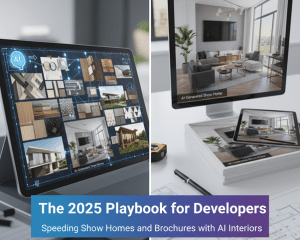 Pre-sales live and die on the strength of your visuals. When buyers are shortlisting developments, they compare on one thing first: how the homes look and feel on the page. In a high-rate, price-sensitive market, the schemes that secure reservations fastest are usually the ones that get their imagery right first time-clear layouts, believable finishes, and enough variation to speak to different buyer tribes. Good pictures don’t just “look nice”; they compress time. They shorten the gap between releasing units and generating qualified appointments, and they reduce the cost of every downstream marketing asset you need to sell. Surveys of agents consistently show that improved presentation-staging, photography, and visual storytelling-can reduce days on market and in some cases support higher achieved prices.
This playbook is for housebuilders and PRS operators who want a practical, defensible way to use AI-assisted interiors to accelerate show homes and brochures without tripping compliance wires. It covers an end-to-end workflow, style at scale, A/B testing, production SLAs, legal and ethics, and a KPI pack you can hand to marketing and sales tomorrow morning.
Why pre-sales visuals win allocations
The earlier you can show a finished, credible interior, the sooner buyers will allocate attention and time to your scheme instead of a competitor’s. That matters more in 2025: mortgage affordability remains tight and buyers are choosier, so your marketing has to work harder before a single viewing is booked. UK market trackers highlight that buyer confidence is uneven and financing costs are still a headwind-meaning listing quality carries greater weight in who inquires, and how quickly.
Across both for-sale and rental funnels, three mechanisms make visuals decisive:
- Cognitive fluency – clear, realistic images reduce mental work; buyers can imagine living there faster.
- Trust signals – consistent finishes and photography angles create the sense of a well-run, well-specced scheme.
- Segment matching – tailored styles (“first-time buyer simple”, “downsizer calm”, “family durable”) speak to needs and budgets.
Real-world data points back this up. Professional-quality listing photos correlate with higher engagement and faster transactions; staging (physical or virtual) often reduces time on market and can influence offer levels. Treat these as directional indicators rather than promises-correlation, not causation-but they’re strong enough to guide investment.
Workflow overview: Floor plan → styled renders → brochure assets
Here’s a repeatable pipeline your teams can run per unit type or elevation. The emphasis is speed to “credible first pass”, followed by targeted iteration where images carry the most commercial weight (homepage hero, portal lead image, brochure opening spread).
Step 1: Gather inputs (Day 0-1).
Collect scaled floor plans, elevations, M&E constraints that influence furniture layout, finish schedules (or provisional palettes), and any architectural CGIs you already have. Add 1-3 mood references per target segment.
Step 2: Generate interior concepts (Day 1-2).
Use an AI-assisted interior tool to produce style variations for the same room: neutral, warm contemporary, Scandi-light, heritage-accented, etc. At this stage, your aim is variation, not perfection; let the model explore composition, color, and furniture density. Teams using AI for interior design can spin multiple looks in minutes, helping marketing see how the same shell reads to different buyers without delaying brochure timelines.
Step 3: Select and refine (Day 2-4).
Pick two styles per unit type that map to your primary buyer personas. Request targeted revisions-e.g., lighten flooring tone to match developer spec; reduce furniture scale in bedrooms; adjust window treatments to local norms.
Step 4: Production-ready outputs (Day 3-6).
Export assets sized for: (a) portals (Rightmove/Zoopla dimensions), (b) brochure print spreads (300 dpi, CMYK profiles), (c) website hero/PLPs, and (d) paid social. Prepare layered files or prompt histories so small changes (a handle finish, a sofa color) don’t restart from scratch.
Step 5: Deploy and iterate (Week 2).
Go live with the best-performing hero images first. Replace underperformers after a two-week A/B test cycle (details below).
Paintit.ai, an AI interiors platform, supports this workflow by turning floor plans and moodboards into brochure-ready room variations in minutes, while keeping finish packs consistent across an entire scheme.
Input standards that save weeks
A tiny amount of discipline on inputs can remove days of rework later:
- Naming & version control: UnitType_Room_Function_Style_V1 (e.g., 2B4P_Bedroom_Primary_Scandi_V1).
- Finish schedules: Supply a “flooring + walls + handles” mini-spec per style to keep renders consistent across rooms.
- Shot list: Pre-agree 2-3 angles per room (one wide hero, one functional angle showing storage/appliance/run of units).
- Reality anchors: Include measurements of key spans (sofa wall, dining clearance) to avoid implausible layouts that hurt trust later.
Style at scale: Tailoring looks to buyer segments
One look rarely fits all. The same 2-bed can attract FTBs, downsizers, and investors; each values different cues. With AI interiors you can create segment-specific micro-catalogues without losing a coherent brand throughline. A practical approach:
- FTBs: Lighter palettes, space-saving furniture, lower perceived maintenance.
- Downsizers: Softer contrasts, comfort cues (seating, lighting), clear storage.
- Family buyers: Durable finishes, kid-friendly zones, easy-clean surfaces, realistic toy and clutter hints (used sparingly).
- Investors/PRS: Neutral, durable, “hotel-lite” finishes, emphasis on rentable practicality over personalisation.
To keep control, build a Style Matrix: rows = unit types; columns = styles; cells = specific finish/furniture rules. This lets you scale content while avoiding the “random Pinterest” effect.
A/B testing visuals to prove uplift
Don’t debate taste-test it. Run controlled experiments on:
- Hero angle: Kitchen wide vs. dining-led angle.
- Furniture density: Minimalist vs. lived-in (light props).
- Palette: Warm vs. cool neutrals.
Focal point: Window view vs. feature wall.
Measure click-through to details, enquiry rate, and book-a-viewing rate. Standard CRO case studies show how small creative changes can materially improve conversion-carry that discipline into property visuals. Importantly, time-box tests (e.g., 14 days, same budget/impressions) and declare a winner you roll out across similar units.
Production SLAs: Speed, QA, and handoffs
Treat interior imagery like a product sprint, not a one-off task. Suggested SLAs for a mid-size development:
- Triage turnaround: 48 hours to first concepts per room type after receiving complete inputs.
- Revisions: 24-48 hours for targeted changes (palette, furniture scale, minor layout).
- Batching: Release in waves-kitchens and living spaces first (they pull enquiries), then bedrooms, then studies/outdoor.
- QA checklist (every asset): scale plausibility; lighting realism; finish match to spec; no “impossible joins”; disclosure label ready (if edited/CGI). Have a designated reviewer sign each batch off before it reaches portals or the brochure printer.
Color and material accuracy. If you’re showing a specific developer finish (e.g., worktop brand), don’t imply availability if stock is limited. Create a fallback caption in the brochure (“Option shown: [finish]; subject to availability; see spec.”). This protects you under UK consumer protection rules against misleading impressions.
Legal & ethics: disclosures and expectation-setting
AI-assisted interiors are still edited images, so treat them with the same care as CGIs or post-production photography. In the UK, you must avoid misleading consumers and include material information that would affect a transactional decision. That bar has been reinforced by the Digital Markets, Competition and Consumers Act 2024 (DMCC), and the CAP Code still governs non-broadcast advertising standards. In practice:
- Label edited imagery: Mark virtual staging/AI-generated room scenes as such (e.g., “Computer-generated image based on proposed specification”). The Advertising Standards Authority and CAP Code require marketing not to materially mislead; clear labelling is a low-cost safeguard.
- Don’t over-promise finishes: If a style shows premium fixtures not in base spec, say so in the caption and brochure legend. UK guidance on material information has evolved-with NTSELAT’s prior framework withdrawn as DMCC takes over-but the underlying duty to present key facts clearly remains. Keep your disclosures prominent in any “invitation to purchase” (portal listing, window card, social ad with price).
- Accuracy checks: Industry bodies advise that images should accurately represent the property; if they no longer do (post-refurb, landscaping changes), stop using them. Build periodic reviews into your SLA.
- Record-keeping: Keep prompt histories, original photos, design specs, and sign-off logs in case of complaint or ombudsman review. RICS also flags that agents must align with current consumer protection regimes; make sure your internal process reflects the DMCC shift.
Tooling stack & team playbook
You don’t need a giant team to execute this; you need a tight cadence and clear ownership.
Core roles:
- Marketing lead: owns brief, personas, test plan, KPI tracking.
- Design/visuals lead: owns style system, prompt library, QA.
- Sales liaison: feeds qualitative feedback from viewings and calls into iterations.
- Compliance reviewer: ensures captions, legends, and disclosures meet standards.
Weekly cadence:
- Monday: Prioritise rooms and units for the week, confirm inputs.
- Tuesday-Wednesday: Generate concepts, internal review, request revisions.
- Thursday: Push live replacements to underperforming assets; publish new brochure spreads.
- Friday: KPI review (see pack below), decide next week’s tests.
Insource vs. outsource:
- Insource: faster iteration on prompts/styles, immediate tweaks for campaign needs.
- Outsource: bulk post-production and complex hero renders where photorealism stakes are highest.
- Hybrid: keep a small in-house capability for “last-mile” adjustments even if a vendor delivers first passes.
Documentation:
- Create a Prompt Library tied to your Style Matrix (example: “Open-plan kitchen, 2B4P, warm neutral, oak LVT, matte black handles, 2700K lighting, minimal props; avoid: marble, glossy fronts”).
- Store Shot Lists and Export Presets for each channel (portal, brochure, web, social).
- Maintain a Disclosure Pack (standard labels, caption templates, font/placement rules).
Metrics that matter
Agree KPIs you can measure weekly and tie them to workflow decisions. Here’s a compact pack and benchmark ideas:
| KPI | Definition | Why it matters | Target/benchmark |
| Days-to-brochure | Days from marketing brief to approved brochure PDF | Measures production speed | <14 days for first issue |
| Cost per render | Total visual spend / # of production-ready images | Efficiency of asset creation | Track trend; reduce 15-30% vs. 2024 baseline with AI |
| Portal CTR | Click-through from portal search results to listing | Early interest proxy | Aim +10-20% after creative improvements |
| Enquiry rate | Qualified leads per 1,000 listing views | Demand quality | Rising trend post-image updates |
| View-to-appointment | % of listing viewers who book a viewing | Conversion health | Improve via better hero images and captions |
| Days on market | Listing days to SSTC or reserved | Lagging but central | Staging/visuals often correlate with reductions National Association of REALTORS® |
| Reservation rate | % of released units reserved in 30/60 days | Sales outcome | Compare cohorts before/after visual overhaul |
How to use it: if CTR lifts but enquiries don’t, your hero image is working but copy/spec may be weak; if enquiries lift but viewings don’t, test different angles or add plan overlays to reduce uncertainty; if viewings lift but reservations lag, review spec clarity and price signalling.
Practical tips that separate credible from “too glossy”
- Believability beats perfection. Slight texture variance and lived-in props (plants, books) can help, but avoid over-polishing. Buyers can smell “stocky” images.
- Localise quietly. Small cues-kettle style, socket standards, radiator presence-make UK-centric interiors feel real.
- Show function. In small bedrooms, show door swing clearance and wardrobe access; in kitchens, show workable prep space.
- Label options rigorously. If the image shows an optional island or upgraded worktop, caption it as such. This aligns with advertising and consumer protection expectations.
- Use staging where it pays back. Independent research in 2025 again points to staging’s effect on speed and perceived value-especially in high-impact rooms like living rooms and primary bedrooms. Prioritise those first in your image backlog.
Case-style scenarios: making the numbers work
Build-to-sell, suburban 3-bed units.
Objective: accelerate early reservations during mortgage-rate jitters.
Move: Generate two style families-“Warm Neutral Family” and “Modern Practical”-and A/B test living-room heroes on portals for two weeks. Swap underperforming creatives weekly. Result to look for: increased CTR and enquiry rate within two weeks; then stronger viewing bookings. Even modest improvements at the top of the funnel can compound into faster sell-through.
PRS mid-rise, city fringe.
Objective: reduce void periods between phases.
Move: Create a micro-catalogue of 10 interiors per top four unit types, each tailored to renter personas (young professional, couple, sharers). Use consistent props and lighting temperature to keep brand coherence. Label any virtual staging; ensure listings include material information cleanly and prominently-new law expects clarity across all “invitations to purchase” formats, including social posts with pricing.
New-build apartments with optional finish packs.
Objective: show upgrade paths without misrepresentation.
Move: Produce paired images-base spec vs. upgrade pack-for the same angle. In the brochure, run a split spread with clear legends and small-print availability. Keep a disclosure log and prompt library to regenerate images quickly if suppliers change. This reduces amendment costs and avoids compliance risk under CAP/ASA standards.
Risk notes-and how to de-risk
- Misleading composition. Ultra-wide lenses can distort room size. Avoid unrealistic angles; keep field of view plausible. Use plan overlays in brochures to ground perception.
- Spec drift. If the build switches tile supplier or worktop spec, regenerate affected images and update captions immediately.
- Unclear availability. Don’t imply that shown furniture or appliances are included unless they are; say “for illustration” if necessary.
- Regulatory churn. The NTSELAT “material information” guidance framework has been withdrawn as the DMCC takes over, and a government consultation is underway. Keep your compliance reviewer watching for final guidance; meanwhile, follow the spirit of clarity and upfront disclosure.
The bottom line
AI-assisted interiors are not about replacing designers; they’re about compressing time to credible visuals and making better marketing decisions, sooner. With a disciplined workflow, clear guardrails, and weekly iteration, developers and PRS teams can publish brochures faster, keep portal listings fresher, and move more prospects from scrolling to scheduling. In 2025’s market, that operational edge is often the difference between a slow phase and a sold-out one.