

The small business internet checklist: Speed, reliability, and network fit
Sponsored content. This article was supplied by a third party and Business Money has been paid to publish it.
Key takeaways
- Match internet service to your actual workload, users, and connected devices.
- Consider upload speed, latency, reliability, and uptime, not download speed alone.
- Compare connection types based on availability, performance, and business needs.
- Build in network security, separate Wi-Fi access, and regular backups.
- Review equipment, installation fees, contracts, and total long-term costs.
- Consider backup internet if an outage could disrupt critical operations.
- Choose a plan with enough capacity for future growth and changing business demands.
Internet service is no longer just a utility for checking email. It supports customer communication, payment processing, cloud applications, security cameras, file sharing, and remote work. Before comparing plans, it helps to understand the difference between business and residential internet, especially when your company needs dependable support, stronger upload capacity, or service terms designed for commercial use. The best plan is not automatically the one with the largest advertised speed. A good fit matches how your team works, how many devices connect at once, what an interruption would cost, and how much room you need to grow. Use this checklist to evaluate service options based on real business needs rather than marketing language.
Why internet fit matters for small businesses
A slow or unreliable connection can interrupt sales, delay customer responses, and frustrate employees. For a retailer, an outage may prevent card payments. For a professional office, it can stop video meetings and access to cloud files. For a restaurant, it may affect online orders, scheduling, and point-of-sale systems. The right connection balances speed, reliability, location, support, security, and cost.
Start with daily usage
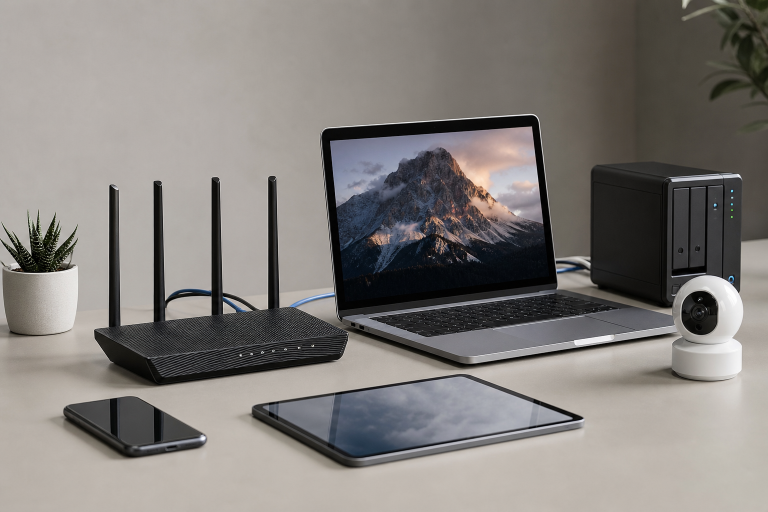
Begin with a practical audit of what happens on your network during a normal workday. Count employees, contractors, visitors, and every connected device, including laptops, phones, tablets, printers, payment terminals, cameras, smart displays, and backup systems. Then list the tools that depend on internet access. Cloud accounting software, customer relationship management platforms, voice-over-IP phones, video conferencing, online ordering, and off-site backups can all drive demand simultaneously. Pay close attention to peak periods, such as morning meetings, lunch rushes, or end-of-day file backups.
Choose speed based on workload
Download speed affects web browsing, streaming, software updates, and the ability to receive large files. Upload speed is equally important for video calls, cloud backups, sending designs or media, remote access, and sharing files with clients. Latency, or the delay in sending and receiving data, matters most for real-time activities such as voice calls, payment systems, and interactive cloud tools. A solo consultant who mainly emails clients, uses cloud documents, and joins occasional video calls may work well with a modest plan. A growing office with ten people using video meetings, hosted phones, shared cloud storage, and frequent large uploads will need considerably more capacity. Build in extra room so a few new hires or applications do not immediately force another upgrade.
Compare common connection types
Availability varies by address, so check every option at the actual business location before choosing a provider. Common connection types include:
- Fiber: Often provides strong upload performance, low latency, and consistent service for cloud-heavy teams.
- Cable: Can offer useful speeds and broad availability for small offices, stores, and service businesses.
- Fixed wireless: May be a practical choice where wired service is limited or costly to install.
- 5G or cellular: Can suit mobile operations, temporary sites, or backup internet during an outage.
- Satellite: Can connect rural locations, although latency, weather, and plan limits deserve careful review.
Look beyond advertised speed
A high-speed number does not guarantee smooth operations. Ask whether the provider offers an uptime commitment, what support hours are available, how outages are handled, whether professional installation is included, and whether there are data limits or traffic-management rules. If a few hours offline would halt sales or customer service, ask about a secondary connection. Before signing, compare recurring charges, equipment costs, data allowances, performance details, and contract terms using the broadband labels required for consumer internet plans. Provider agreements still deserve close reading, particularly when promotional pricing, installation requirements, or early cancellation fees are involved.
Build security into the setup
Internet service does not secure a business network on its own. Protect the router, Wi-Fi network, connected devices, and staff accounts from the first day of installation. Small businesses should:
- Change default router and administrator passwords.
- Use current Wi-Fi encryption and a strong network password.
- Create separate networks for employees, guests, and smart devices.
- Require multi-factor authentication for important accounts.
- Keep routers, computers, phones, and software updated.
- Back up essential business data on a regular schedule.
The cybersecurity guidance for small businesses can help owners establish safer practices for devices, remote access, employee accounts, and data handling.
Review the full cost
Do not judge a plan by the introductory monthly price alone. Add up the full expected cost, including:
- Monthly service and equipment rental or purchase fees
- Installation, activation, taxes, and regulatory charges
- Contract length and early termination penalties
- Managed Wi-Fi, static IP, or technical support add-ons
- Backup internet equipment and monthly service
Compare costs over the entire contract period. A low first-month offer can become less attractive once the regular rate and required equipment charges apply.
Use a simple decision process
- List the internet-based tasks your business cannot afford to interrupt.
- Count users, devices, and simultaneous activities during peak hours.
- Identify current pain points, including slow uploads, weak Wi-Fi, or dropped calls.
- Set a realistic monthly budget, including potential backup service.
- Check availability at your exact business address.
- Compare upload speed, latency, data rules, support, and contract terms.
- Decide whether an outage backup is necessary.
- Read the agreement before scheduling installation.
Avoid common buying mistakes
Choosing download speed without checking uploads
A plan can seem fast while struggling with video calls, cloud backups, and large file transfers. Review both directions of service.
Ignoring wi-fi coverage
Even excellent internet service can feel slow if the router is poorly placed or if walls, shelves, and large spaces create weak signal areas.
Forgetting future growth
A plan that works for three people may become inadequate after new hires, security cameras, cloud software, or additional locations are added.
Skipping a backup plan
Retailers, clinics, restaurants, and remote teams may need cellular or other backup access to keep payments, communications, and scheduling available during an outage.
Frequently asked questions
Does every small business need a business internet plan?
No. The best choice depends on workload, support needs, uptime requirements, and the number of users. Businesses that rely heavily on cloud systems or customer transactions may benefit from stronger service terms.
How much speed does a small office need?
There is no universal number. Consider simultaneous users, video calls, uploads, cloud applications, backups, and near-term growth rather than choosing based on team size alone.
Is fiber always the best choice?
Fiber is often a strong option where available, but price, installation time, provider support, and backup needs still matter. Cable, fixed wireless, and cellular service can be better fits in some locations.
Final takeaway
A reliable small-business internet setup begins with understanding the real work requirements. Assess daily usage, consider the number of users and connected devices, prioritize upload performance and uptime, secure the network, review total costs, and leave enough room for future growth. A short audit before requesting quotes can prevent costly overbuying and help your business avoid slowdowns, connectivity issues, and outages that disrupt productivity, customer service, and essential operations.